Direct Answer
Your law firm will still need technical support. You just shouldn't have to call the vendor yourself.
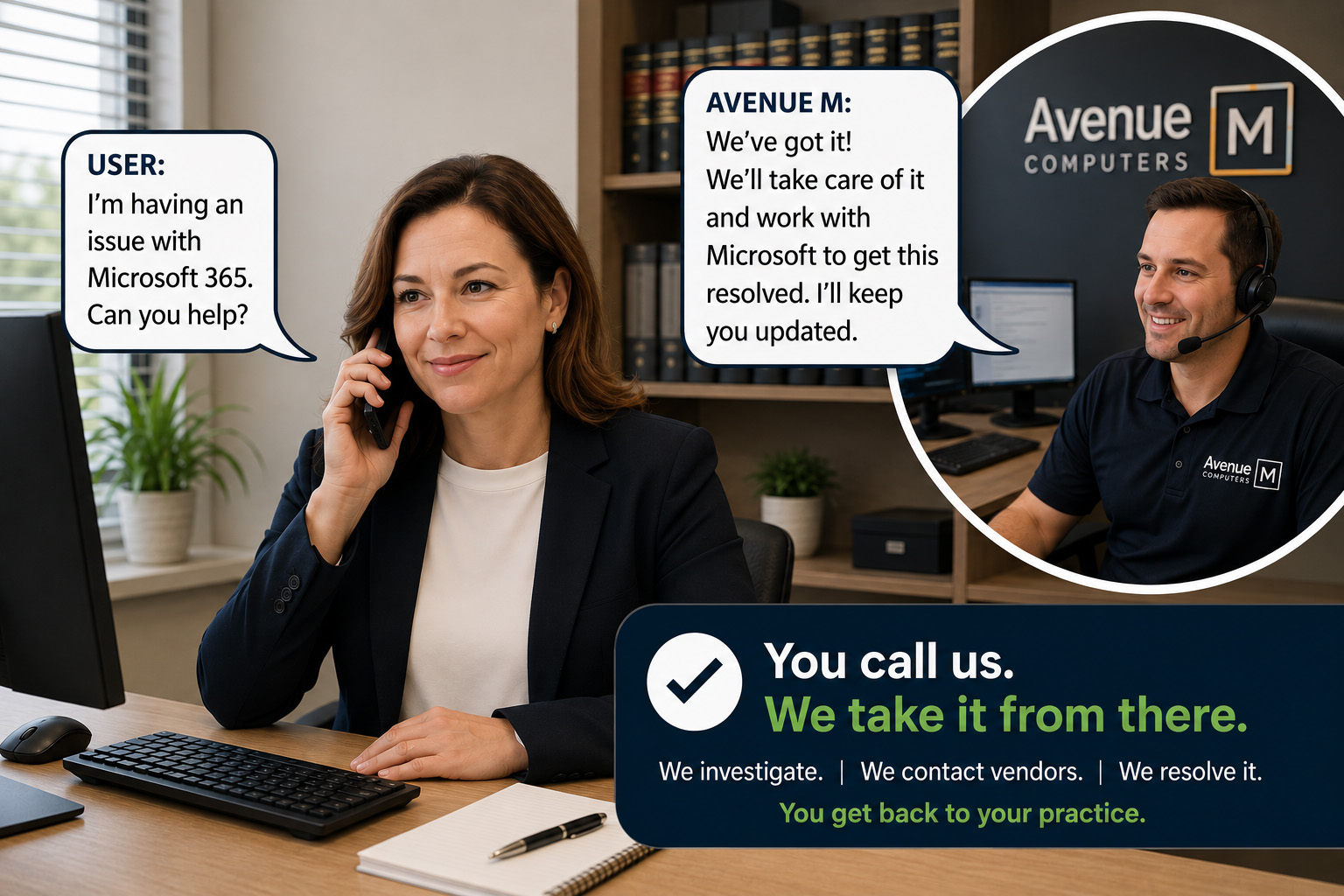
Good IT management prevents many technology problems before they interrupt your attorneys and staff. When a Microsoft, software, internet, or other vendor issue does occur, one call to Avenue M starts the process.
We determine what is wrong, contact the vendor when necessary, work with their technical support, and own the problem until it is resolved.
You call us. We take it from there.
Why This Matters
You just want those darn computers to work!
Your attorneys and staff should be practicing law, serving clients, and running the firm, not troubleshooting technology.
They should not have to spend hours on the phone with a vendor's support center, explain a technical problem they don't understand, follow troubleshooting scripts, get transferred between technicians, or figure out which company is responsible for fixing the problem.
That's our job.
Editor's Insight
Prevent what we can. Own what we can't prevent.
Good IT management works in both directions.
Monitoring, maintenance, updates, and proactive management prevent many problems before employees know they exist.
When something cannot be prevented, your IT provider should take responsibility for getting it resolved, even when resolving it requires another technology company.
How Do You Avoid Calling Tech Support?
1. Prevent Problems Before They Happen
The best place to solve an IT problem is before it interrupts an employee.
Monitoring can identify failing equipment, low disk space, backup failures, security alerts, and other conditions that need attention.
Maintenance and updates can be performed before they become an interruption.
Not every technology problem can be prevented, but your employees should not have to discover every IT problem for your IT company.
2. Call One Company When Something Goes Wrong
When an employee has a technology problem, that employee should not have to determine who is responsible.
Call Avenue M.
We determine whether the problem involves the computer, network, Microsoft 365, internet connection, software application, or another technology service.
Your employee does not need to diagnose the problem before asking for help.
3. Let Your IT Provider Deal With the Vendor
Some technology problems require assistance from the company that provides the product or service.
That should not turn your employee into the technical liaison between your IT provider and the vendor.
If Microsoft or another vendor needs to be involved, Avenue M contacts their technical support, explains the problem, works through the troubleshooting process, and provides the technical information they need.
Your employee can get back to work.
4. Make One Call and Be Done
Calling support should not create another job for the person who reported the problem.
You should not have to continually follow up, coordinate multiple vendors, or determine what needs to happen next.
The IT provider should own the problem until it is resolved.
One call to Avenue M, and you're done.
What Does IT Success Look Like?
IT support should become less noticeable over time.
Most days, your attorneys and staff simply use their computers and applications without thinking about the technology behind them.
Behind the scenes, the IT provider monitors systems, maintains computers, installs updates, reviews recurring issues, and addresses problems before they become interruptions.
On the rare occasion when a Microsoft or other vendor issue requires technical support, your employee makes one call to Avenue M.
We make the other calls.
That's what IT success looks like.
A Real-World Example
A business owner called with the following cryptic error message when trying to open an Excel spreadsheet received from a business associate.
"You are not signed in to office with an account that has permission to open this workbook. You may sign in a new account into office that has permission or request permission from the content owner."
Our technician took it from there, researched that error message on the spot, and determined that the spreadsheet was not shared correctly by the one who sent it. The solution was to contact the creator of the spreadsheet, to share it properly.
The business owner did not have to call Microsoft and waste an hour of productivity navigating a tech support call center. It was one quick painless call and done.
Two Questions We Hear
What if the problem isn't caused by something Avenue M manages?
Call us anyway.
Your employees should not have to determine which technology company is responsible before asking for help.
We can investigate the problem, determine what is involved, and work with the appropriate vendor when necessary.
What if Microsoft or another vendor requires technical support to resolve the problem?
We call them.
We work with their technical support, provide the technical information they need, follow the issue through the troubleshooting process, and stay involved until the problem is resolved.
You don't have to become the middleman between your IT company and your technology vendors.
How Avenue M Helps
Avenue M works with law firms that are frustrated with slow responses, recurring problems, and never really knowing whether everything is being taken care of.
Our IT management includes:
- Monitoring computers and systems.
- Maintaining and updating technology.
- Identifying problems before they interrupt employees.
- Responding quickly when employees need help.
- Investigating recurring problems.
- Determining which vendor needs to be involved.
- Working directly with vendor technical support.
- Taking ownership of problems until they are resolved.
The objective is simple.
Your attorneys and staff should be working, not managing technology problems.
Three Key Takeaways
- Good IT management solves problems before they happen.
- When an outside vendor is needed, your IT provider should make the support call, not your employees.
- Your attorneys and staff should spend their time serving clients, not troubleshooting technology.
Related Articles
- What Is Endpoint Detection and Response (EDR), and Why Do Law Firms Need It?
- Why Should Law Firms Use a Password Manager?
- Why Is Multi-Factor Authentication (MFA) Essential for Law Firms?
- What Happens During a Cybersecurity Risk Assessment?
- How Often Should Law Firms Conduct Cybersecurity Awareness Training?
Technology should help your law firm practice law more securely, efficiently, and confidently, not become another distraction.