
Direct Answer
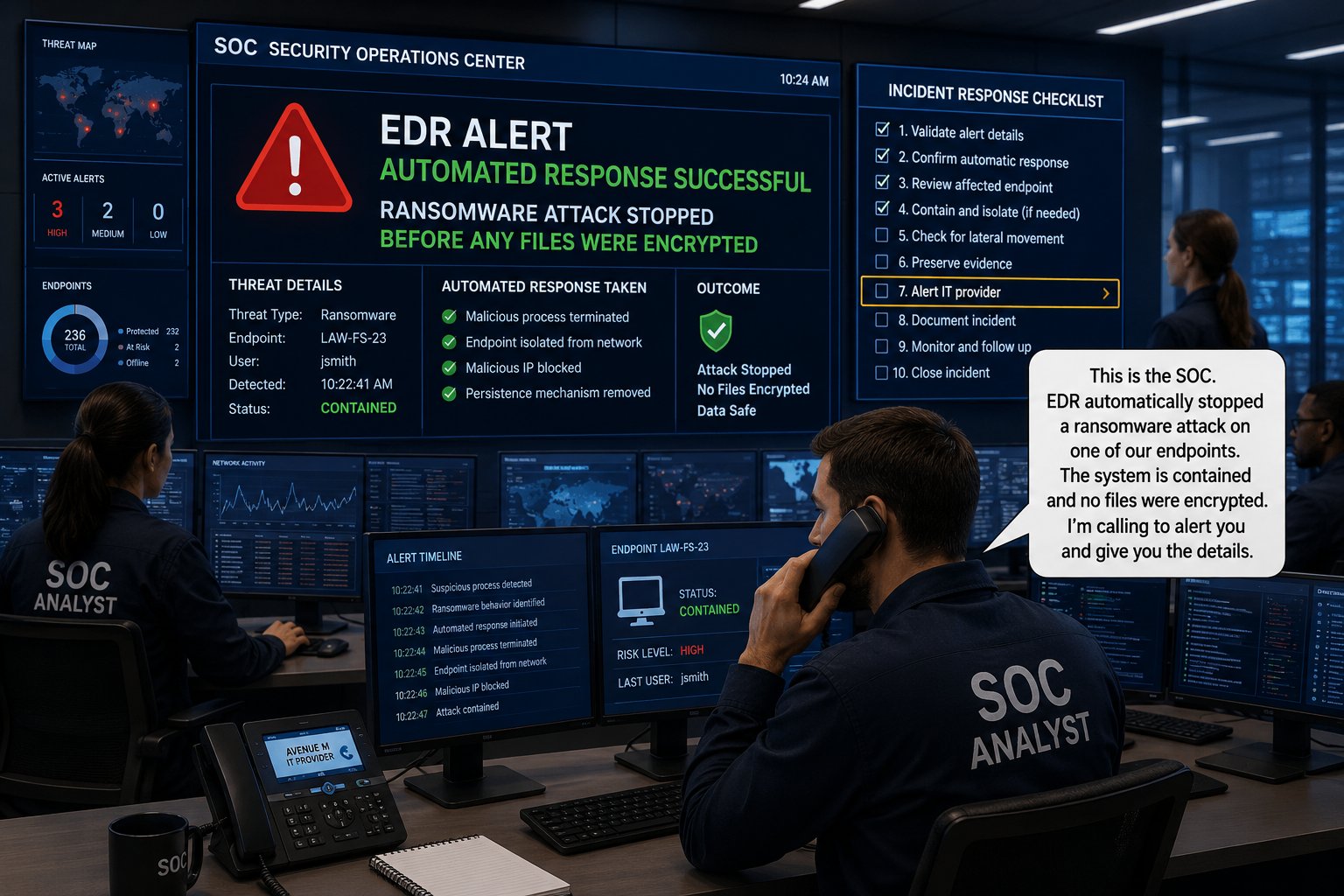
Endpoint Detection and Response (EDR) is cybersecurity software that continuously monitors computers for suspicious activity, detects potential threats, and can automatically respond to malicious behavior before a technician receives the alert.
Traditional antivirus primarily looks for known malicious files. EDR provides another level of protection by monitoring what is happening on the computer and looking for behavior that may indicate an attack.
For law firms, EDR helps protect the computers employees use to access confidential client information, email, financial information, and other business systems.
Why This Matters
Cybercriminals do not always attack a computer with a virus, which traditional antivirus can easily recognize.
An attacker may use stolen credentials, legitimate software, malicious scripts, or other techniques to gain access and begin operating inside a computer.
EDR monitors activity on the computer for signs that something suspicious is happening.
When malicious activity is detected, EDR can respond automatically to neutralize the threat and alert the IT provider for investigation.
Editor's Insight
Antivirus looks for known threats. EDR also looks for suspicious behavior.
That distinction is important.
A malicious file is only one sign of a cyberattack. What a computer is doing can provide another indication that something is wrong.
How Does EDR Protect a Law Firm?
EDR adds several important capabilities to the security protecting your firm's computers.
1. Continuously Monitors Computers
EDR monitors activity on protected computers rather than relying only on periodic scans.
This allows it to identify suspicious activity as it occurs.
For a law firm, these computers may provide access to email, client documents, financial systems, and other confidential information.
2. Detects Suspicious Behavior
Traditional antivirus can identify many known malicious files.
EDR can also identify patterns of activity that may indicate an attack.
Examples may include:
- Suspicious programs or processes
- Unusual changes to files
- Attempts to execute malicious scripts
- Activity associated with ransomware
- Attempts to disable security software
This gives the security team another way to identify an attack before additional damage occurs.
3. Alerts the Security Team
When EDR identifies suspicious activity, it generates an alert that can be reviewed by the security team.
The alert provides information about what happened and which computer was affected.
Automated responses may already have taken action before the technician receives the alert. The technician can then investigate what happened and determine whether additional action is required.
4. Responds Automatically to Threats
The "R" in EDR stands for Response.
When EDR detects malicious behavior, automated responses can take immediate action without waiting for a technician.
Depending on the EDR platform and its configuration, automated responses may:
- Stop a malicious process.
- Isolate a computer attacked by ransomware.
- Prevent malicious activity from spreading across the network.
- Execute custom responses created by the IT provider.
In some attacks, waiting for a technician to respond to an alert would take too long. EDR can act immediately to stop or contain malicious activity while the technician is being notified.
The security team can then investigate the incident and determine what additional action is necessary.
5. Provides Information for Investigation
After suspicious activity is detected, the security team needs to understand what happened.
EDR records information about activity on the computer that can help answer questions such as:
- What happened?
- Which computer was affected?
- What process or application was involved?
- What actions occurred?
- Does additional investigation need to be performed?
This information helps the security team respond based on evidence rather than assumptions.
Does EDR Replace Antivirus?
Not necessarily.
Traditional antivirus remains useful for detecting known malware. EDR expands protection by monitoring activity and identifying suspicious behavior that may indicate a more complex attack.
Some modern security products combine antivirus and EDR capabilities into a single platform.
The important question isn't whether your law firm has software called "antivirus."
The important question is whether your computers are protected against both known malware and suspicious activity that may indicate an attack.
Two Questions We Hear
If we already have antivirus, why do we need EDR?
Because antivirus and EDR do not provide exactly the same protection.
Antivirus is effective at identifying known malware. EDR adds continuous monitoring, behavioral detection, automated response, and investigation capabilities.
The question isn't whether you have antivirus. The question is whether you can detect and respond when an attack isn't a traditional virus.
Does someone need to monitor EDR alerts?
Yes.
EDR software can detect suspicious activity, respond automatically to certain threats, and generate alerts. Those alerts still need to be reviewed to determine what happened and whether additional action is required.
The technology can take immediate action. The security team investigates what happened and determines what to do next.
How Avenue M Helps
Avenue M helps law firms throughout New York and New Jersey protect their computers with Endpoint Detection and Response.
We help clients:
- Deploy EDR protection.
- Configure automated responses.
- Monitor security alerts.
- Investigate suspicious activity.
- Contain identified threats.
- Respond when security incidents occur.
EDR combines continuous monitoring, automated response, and human investigation so malicious activity can be stopped or contained immediately while the security team is being notified.
Three Key Takeaways
- Antivirus looks for known threats. EDR also looks for suspicious behavior.
- EDR can automatically stop or contain malicious activity while the security team is being notified.
- The question isn't whether you have antivirus. The question is whether you can detect and respond when an attack isn't a traditional virus.
Related Articles
- Why Is Multi-Factor Authentication (MFA) Essential for Law Firms?
- How Often Should Law Firms Conduct Cybersecurity Awareness Training?
- What Happens During a Cybersecurity Risk Assessment?
- What Should Every Law Firm Include in an Incident Response Plan?
- What Cybersecurity Requirements Should New York and New Jersey Law Firms Meet?
Technology should help your law firm practice law more securely, efficiently, and confidently, not become another distraction.