
Direct Answer
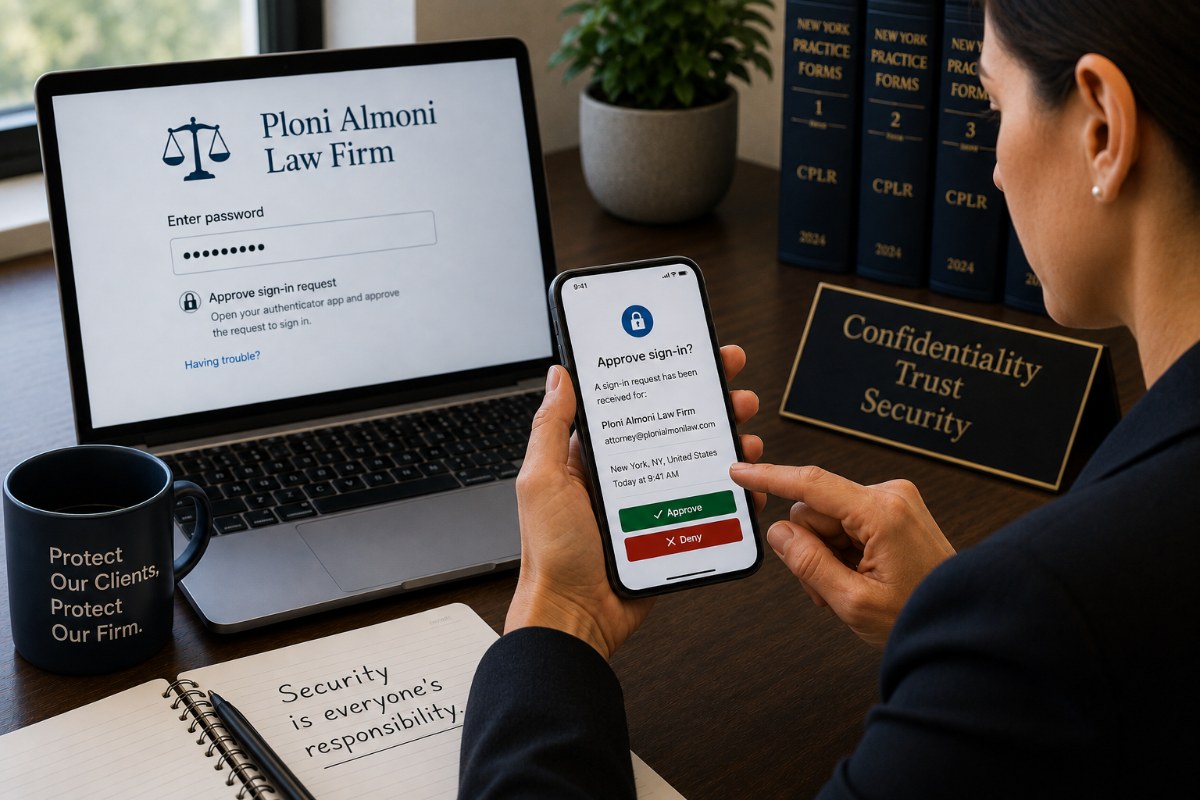
Multi-Factor Authentication (MFA) is a security measure that requires users to provide two or more forms of identification before accessing an account. Most commonly, this means entering a password and then approving a sign-in request using a smartphone, security key, or authentication app.
For law firms, MFA is one of the most effective ways to prevent unauthorized access to email and other business systems. It is also commonly required by insurance companies, regulatory agencies, and security questionnaires.
Why This Matters
Passwords can be stolen through phishing emails, malware, data breaches, or password reuse.
Without MFA, a stolen password may be all an attacker needs to access your firm's email or other business systems.
MFA adds a second layer of protection that significantly reduces this risk.
Editor's Insight
A stolen password should never be enough to access your law firm's data.
MFA protects your accounts by requiring a second form of verification, even if someone knows your password.
How Multi-Factor Authentication Works
MFA requires users to verify their identity using at least two of the following:
1. Something You Know
A password.
2. Something You Have
A smartphone running an authentication application, a hardware security key, or a one-time verification code.
3. Something You Are
A biometric identifier such as a fingerprint or facial recognition.
Most law firms use a password together with an authentication application on a smartphone.
Where Should MFA Be Enabled?
Every account that provides access to confidential information should be protected by MFA whenever possible.
This typically includes:
- Microsoft 365
- Email accounts
- Remote access and VPN connections
- Cloud storage services
- Practice management software
- Financial and banking applications
- Password managers
If MFA is available, it should be enabled.
Common Questions About MFA
Some employees worry that MFA slows them down.
That small inconvenience provides significant protection against financial loss and unauthorized access to confidential information.
The extra few seconds is worth it. It will take much longer than that to recover from the damage caused by unauthorized access, and it may not be possible to get the money back.
A Real-World Example
An attorney received an email that appeared to come from a colleague, with a PDF attachment.
After clicking the fake PDF file, the attorney entered her Microsoft 365 credentials. The file didn't open, and the attorney moved on as if nothing had happened.
The attacker immediately attempted to sign in from a foreign country using the stolen username and password.
Because Multi-Factor Authentication was enabled, the attacker was not able to log in. Our security software alerted us to the overseas attack, and we called the user. She told us that she had tried to open a PDF from a colleague, but it didn't open.
The password was changed immediately, and the firm's email remained secure.
If not for Multi-Factor Authentication, our client would have suffered the same Business Email Compromise as her colleague.
Two Questions We Hear
If I have a strong password, do I still need MFA?
Yes.
Even strong passwords can be stolen through phishing attacks, malware, or third-party data breaches.
MFA protects your account if your password is compromised.
Can text messages be used for MFA?
Text message verification is better than using only a password.
However, authentication applications and hardware security keys generally provide stronger protection and are preferred whenever they are available.
How Avenue M Helps
Avenue M helps law firms throughout New York and New Jersey implement and manage Multi-Factor Authentication across Microsoft 365, remote access, and other business systems.
We help clients:
- Enable MFA for user accounts.
- Configure authentication applications.
- Enroll new employees.
- Replace lost authentication devices.
- Review MFA settings as technology and business needs change.
Three Key Takeaways
- A stolen password should never be enough to access your law firm's data.
- Multi-Factor Authentication is one of the most effective ways to prevent unauthorized access to your firm's systems.
- The extra few seconds is worth it. It will take much longer than that to recover from the damage caused by unauthorized access, and it may not be possible to get the money back.
Related Articles
- How Often Should Law Firms Conduct Cybersecurity Awareness Training?
- What Should Every Law Firm Include in an Incident Response Plan?
- How Should Law Firms Prepare for Cyber Insurance Questionnaires?
- What Cybersecurity Requirements Should New York and New Jersey Law Firms Meet?
Technology should help your law firm practice law more securely, efficiently, and confidently, not become another distraction.