Direct Answer
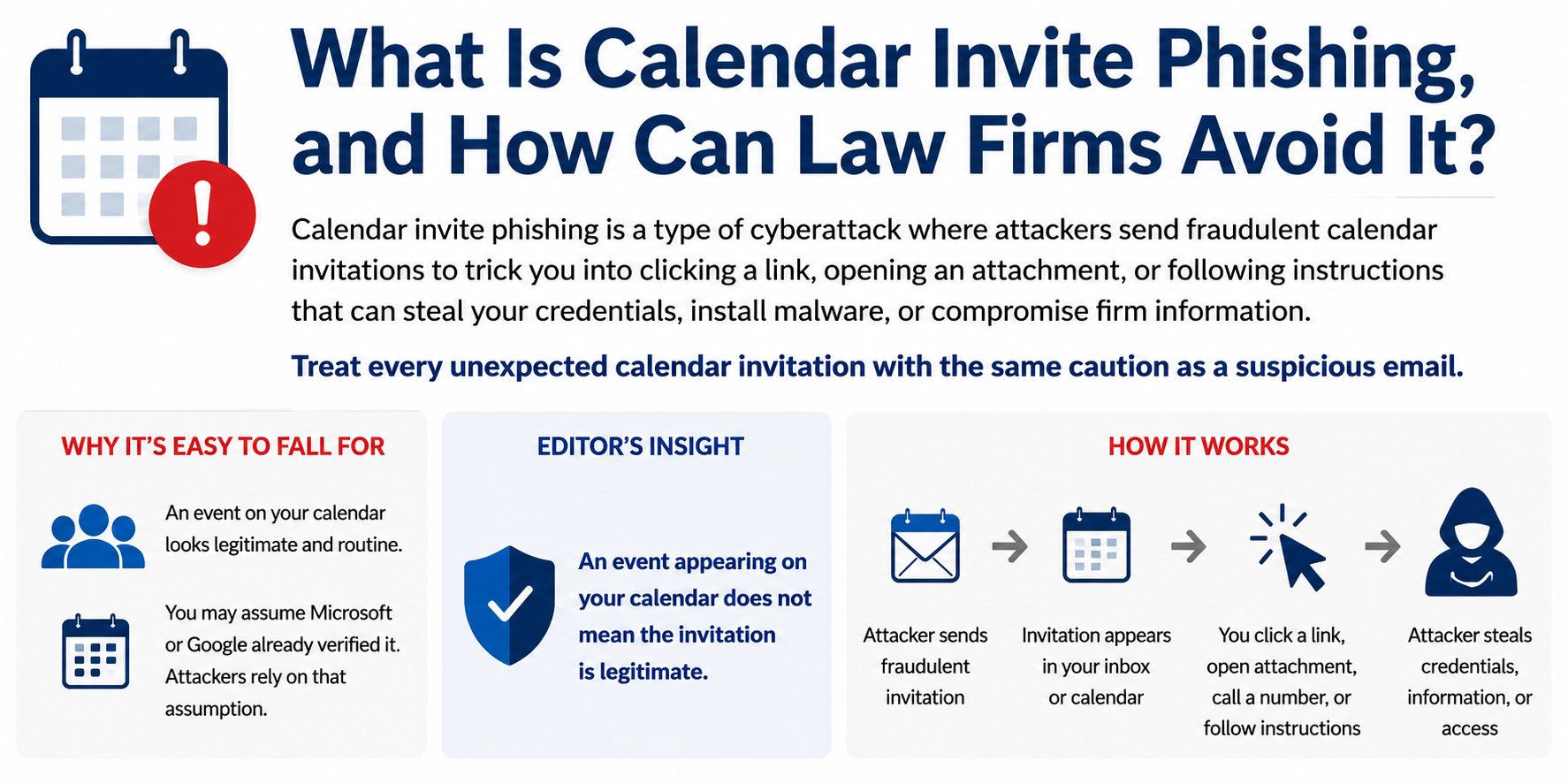
Calendar invite phishing is a cyberattack that uses a fraudulent meeting invitation or calendar event to trick you into clicking a malicious link, opening an attachment, calling a phone number, entering your password, or taking some other action.
The invitation may appear in your email, but it may also appear directly on your calendar. That can make it seem more trustworthy than an ordinary phishing email.
An event appearing on your calendar does not mean the invitation is legitimate.
Treat an unexpected calendar invitation with the same caution you would use with an unexpected email.
Why Calendar Invite Phishing Is Easy to Fall For
Most people have learned to be suspicious of unexpected emails.
A calendar invitation feels different.
Meeting invitations are a normal part of the workday. Attorneys and staff routinely receive invitations from clients, opposing counsel, courts, vendors, colleagues, and other people outside the firm.
When an event appears on your calendar, it is easy to assume that it must have passed through some type of security check before getting there.
Attackers can send fraudulent calendar invitations just as they send fraudulent emails. They may use meeting-related language, fake account warnings, urgent notices, or other believable reasons to get you to interact with the invitation.
Editor's Insight
An event appearing on your calendar does not mean the invitation is legitimate.
This is the most important thing to remember about calendar invite phishing.
Do not assume Microsoft, Google, your law firm, or your IT provider verified an invitation simply because it appears on your calendar.
The calendar is another place where a phishing attack can reach you.
How Does Calendar Invite Phishing Work?
1. The Attacker Sends a Calendar Invitation
The attacker creates a meeting invitation designed to get your attention.
The subject might refer to:
- A client matter
- A document requiring review
- An unexpected meeting
- An invoice or payment
- A Microsoft Teams or Zoom meeting
- A court or legal matter
- A vendor
- Another business issue
The attacker wants the invitation to appear important enough that you interact with it without stopping to question whether it is legitimate.
2. The Invitation Reaches Your Email or Calendar
You may receive an email notifying you about the invitation.
The event may also appear on your calendar itself.
Seeing the event on your calendar can give it an appearance of legitimacy that an ordinary spam email may not have.
But its presence on your calendar does not mean that anyone has verified the sender or the contents.
3. The Invitation Gives You Something to Do
The event description may tell you to:
- Click a link
- Join a meeting
- Open an attachment
- Sign into Microsoft 365
- Review a document
- Call a phone number
- Confirm a payment
- Take another action
This is where the phishing attack moves from getting your attention to getting you to take action.
4. The Attacker Attempts to Steal Something
A link may lead to a fraudulent Microsoft 365 or other login page designed to steal your username and password.
A phone number may connect you with a scammer pretending to be technical support, a vendor, or another trusted party.
An attachment may be malicious.
The calendar invitation is simply the delivery mechanism.
What Does a Suspicious Calendar Invitation Look Like?
There is no single warning sign that identifies every malicious calendar invitation.
Instead, look at the entire invitation and ask whether it makes sense.
You Were Not Expecting the Meeting
An unexpected invitation is not automatically malicious. Law firms legitimately receive meeting invitations from people outside the firm.
But an unexpected invitation deserves more attention.
Ask yourself:
Do I know what this meeting is about, and was I expecting someone to contact me?
The Invitation Creates Urgency or Fear
Be particularly cautious when an unexpected invitation tells you something bad will happen unless you act immediately.
Examples include:
ACCOUNT SUSPENSION
PASSWORD EXPIRES TODAY
PAYMENT FAILED
UNAUTHORIZED TRANSACTION
URGENT SECURITY ALERT
Creating urgency can discourage you from stopping long enough to verify whether the invitation is real.
The Invitation Asks You to Log In
An unexpected calendar invitation should not be trusted merely because its link appears to lead to Microsoft 365, a document, a meeting, or another familiar service.
Attackers create fraudulent login pages specifically to steal passwords.
The Invitation Contains an Unexpected Link or Attachment
Ask yourself why the link or attachment is there and whether you were expecting to receive it.
A link labeled Review Document, Join Meeting, or something equally familiar may lead somewhere entirely different from where you expect.
The Invitation Tells You to Call a Phone Number
A phishing attack does not have to ask you to click a link.
An invitation may claim that a payment was processed, a meeting needs to be confirmed, or there is another issue requiring immediate attention and tell you to call a number.
Do not use a phone number provided in a suspicious invitation to verify whether the invitation is legitimate.
Something Simply Doesn't Make Sense
You know your work better than the attacker does.
An unexpected request from someone you normally work with, a meeting with someone you do not know, or an unexpected document should make you stop.
If you weren't expecting the meeting, contact the supposed sender through a communication method you already trust.
The Most Important Rule: Don't Interact With a Suspicious Invitation
If you believe a calendar invitation may be phishing, stop.
Do not:
- Click links.
- Open attachments.
- Call phone numbers contained in the invitation.
- Follow instructions in the event description.
- Enter your username or password.
- Provide a verification code.
- Download software at the invitation's request.
Do not try to investigate the invitation yourself by clicking around to see where it goes.
If you need to determine whether it is legitimate, verify it another way.
How Do You Verify a Calendar Invitation?
If you weren't expecting the meeting, contact the supposed sender through a communication method you already trust.
For example, call the telephone number you already have for the person.
Do not use the telephone number, email address, or link provided in the suspicious invitation to perform the verification.
A simple question may be enough:
“Did you just send me a calendar invitation?”
If the answer is no, you may have identified a phishing attempt without ever interacting with it.
What Should You Do With a Suspicious Calendar Invitation?
Remember this sequence:
STOP → DON'T INTERACT → VERIFY → REPORT
Stop. Do not react to urgency in the invitation.
Don't interact. Do not click its links, open attachments, call its phone numbers, or follow its instructions.
Verify. If you weren't expecting the meeting, contact the supposed sender through a communication method you already trust.
Report. Follow your firm's procedure for reporting suspected phishing. If you are uncertain, contact your IT provider.
What If You Already Clicked?
Tell your IT provider immediately.
Do not wait to see whether something happens.
Contact IT immediately if you:
- Clicked a suspicious link.
- Opened an unexpected attachment.
- Entered your password.
- Entered a Multi-Factor Authentication code.
- Approved an unexpected MFA request.
- Called a suspicious phone number and provided information.
- Downloaded or installed something.
- Followed other instructions contained in the invitation.
If you entered your password into a phishing website, the attacker may already have it.
The sooner your IT provider knows what happened, the sooner steps can be taken to protect your account and investigate what occurred.
A Training Example
Imagine that the following invitation appears on your calendar:
Client Matter Review – Updated Documents
Tomorrow, 10:00 AM
The invitation says:
Please join me tomorrow to review the updated documents before our call with the client. I uploaded the revised documents for you to review before the meeting.
Review Updated Documents
At first glance, nothing seems particularly unusual. Reviewing documents before a meeting is something an attorney might do every day.
But you weren't expecting this meeting.
Stop before clicking the document link.
Does the meeting make sense based on a matter you are actually working on? Were you expecting this person to send you documents?
If you weren't expecting the meeting, contact the supposed sender through a communication method you already trust.
Do not use contact information contained in the invitation itself.
A quick phone call may establish that the person never sent the invitation.
The important lesson is that a phishing invitation does not have to look obviously suspicious.
The attacker wants the invitation to look like an ordinary part of your workday.
If an unexpected calendar invitation asks you to click a link, open a document, join a meeting, call a number, or take another action, stop and verify it before interacting with it.
Two Questions We Hear
Can a calendar invitation be phishing even if it appears directly on my calendar?
Yes.
The fact that an event appears on your calendar does not establish that the sender or contents are legitimate.
Calendar invitations can be used to deliver phishing messages, links, attachments, phone numbers, and other fraudulent instructions.
Treat the contents of an unexpected calendar event with the same caution you would use with an unexpected email.
What if I'm not sure whether an invitation is legitimate?
Don't guess.
If you weren't expecting the meeting, contact the supposed sender through a communication method you already trust.
If you still aren't sure, contact your IT provider.
It is better to report a legitimate invitation that looked suspicious than to interact with a phishing invitation because you were afraid of bothering someone.
How Avenue M Helps
Avenue M Computers has provided IT and cybersecurity services to law firms in New York since 2010.
Cybersecurity technology provides important layers of protection, but attackers continually look for ways to convince people to take actions that put their accounts and information at risk.
Cybersecurity awareness training helps attorneys and staff recognize those attacks before they interact with them.
When something looks suspicious, our advice is simple:
Stop and ask us before you click.
Three Rules to Remember
- An invitation appearing on your calendar does not mean it is legitimate.
- If you weren't expecting the meeting, contact the supposed sender through a communication method you already trust.
- If you clicked something suspicious, contact IT immediately.
Related Articles
- How Often Should Law Firms Conduct Cybersecurity Awareness Training?
- Why Is Multi-Factor Authentication (MFA) Essential for Law Firms?
- What Are the Biggest IT Mistakes Law Firms Make That Can Lead to Ransomware?
- What Is SIEM, and Why Do Law Firms Need It?
- What Should Every Law Firm Include in an Incident Response Plan?
Technology should help your law firm practice law more securely, efficiently, and confidently, not become another distraction.